


Exhibition Hall SketchUp Model. Download a premium Exhibition Hall SketchUp Model from Posterfree.net, perfect for architectural visualization and design projects. Get your Exhibition Hall SketchUp Model today!
Elevate Your Designs with a Premium Exhibition Hall SketchUp Model
In the dynamic world of architectural visualization and interior design, having access to high-quality 3D models is paramount. Whether you’re an architect, an interior designer, or a student working on a presentation, a detailed and well-crafted 3D model can bring your concepts to life. At Posterfree.net, we understand this critical need, which is why we offer an extensive collection of premium graphic resources, including this exceptional Exhibition Hall SketchUp Model.
Why Choose Our Exhibition Hall SketchUp Model?
This particular Exhibition Hall SketchUp Model, identified as ‘phong trien lam SketchUp (151)’, stands out for its meticulous detail and professional presentation. It’s not just a generic space; it’s a thoughtfully designed environment that can serve as a robust foundation or an inspiring example for your own projects. Here’s what makes it an indispensable asset:
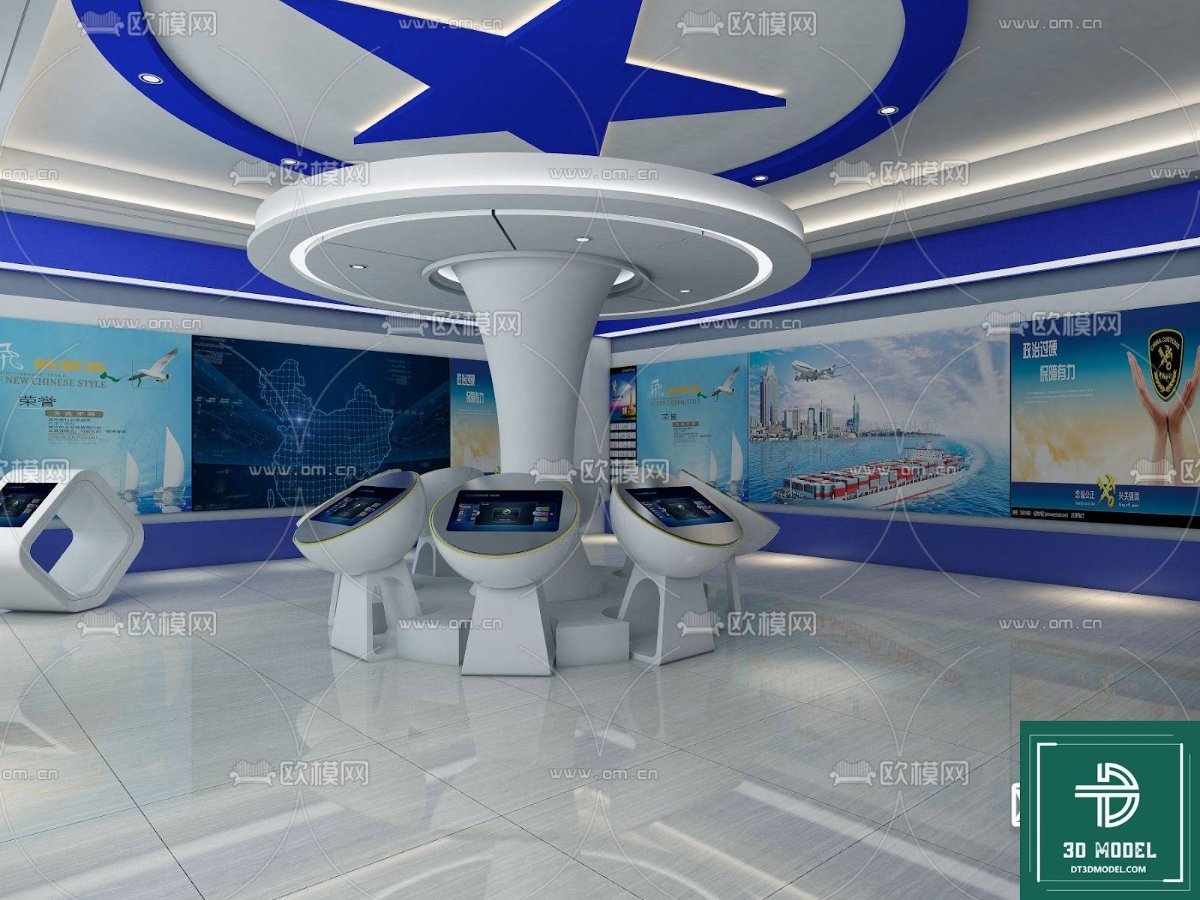
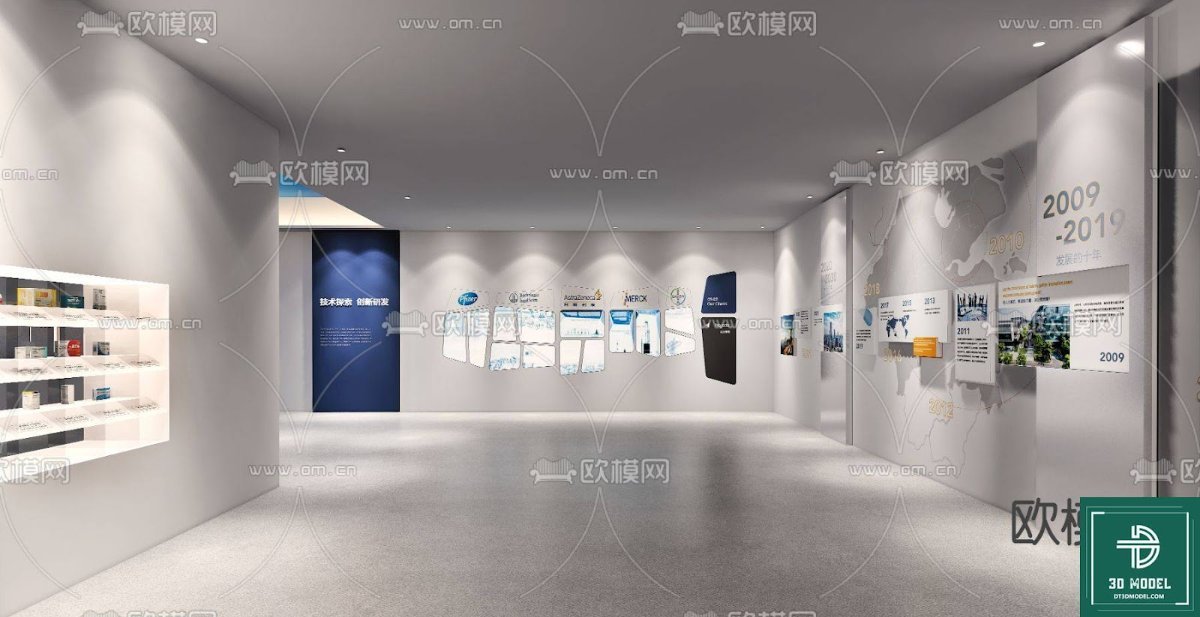
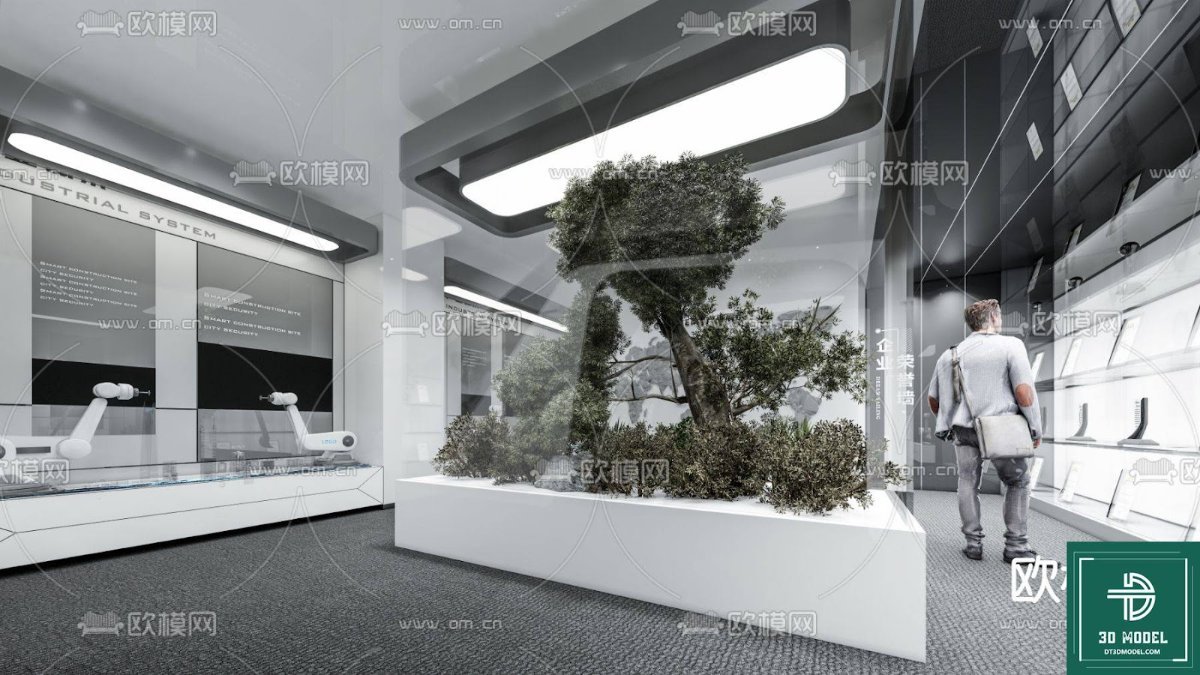
- Realistic Detailing: The model showcases a modern exhibition space complete with interactive displays, informational panels, and a sleek, contemporary aesthetic. This level of detail ensures that your renders will look professional and engaging.
- Optimized for SketchUp: As a native SketchUp file, it integrates seamlessly into your existing SketchUp workflow. This means less time spent on conversions and more time on design.
- Versatile Application: Ideal for various uses, from showcasing new products and corporate histories to educational exhibits and art installations. The flexible layout allows for customization to fit diverse themes.
- High-Quality Textures and Materials: The model includes high-resolution textures and carefully applied materials, contributing to realistic lighting and rendering outcomes.
Analyzing the Exhibition Hall SketchUp Model: Format, Resolution, and Usage
Understanding the technical aspects of a 3D model is crucial for effective integration into your projects. This Exhibition Hall SketchUp Model is provided in a format that ensures maximum compatibility and ease of use for SketchUp users.
Format and Compatibility
The primary format for this resource is SketchUp (.skp). SketchUp is renowned for its user-friendly interface and robust 3D modeling capabilities, making it a favorite among architects, designers, and hobbyists alike. The .skp format ensures that you can open, modify, and render the model directly within SketchUp, leveraging all its native tools and plugins. This eliminates the hassle of dealing with incompatible file types or complex import processes.
Resolution and Detail
The resolution of a 3D model refers to the level of detail incorporated into its geometry and textures. This Exhibition Hall SketchUp Model boasts a high level of detail, evident in the intricate design of the display booths, the clear text on the informational panels, and the realistic depiction of the overall space. The textures applied to surfaces like walls, floors, and interactive screens are of high resolution, ensuring that even close-up renders maintain clarity and visual appeal. This attention to detail is critical for creating compelling visualizations that accurately convey your design intent.
Usage Instructions and Best Practices
Utilizing this Exhibition Hall SketchUp Model effectively is straightforward. Here are some tips:
- Download and Open: Simply download the .skp file from Posterfree.net and open it directly in your SketchUp software.
- Explore and Customize: Navigate through the model to understand its structure. You can easily modify elements such as colors, materials, and even the layout of the displays to suit your specific project requirements.
- Add Your Content: Replace placeholder images and text on the interactive screens and panels with your own branding, product information, or exhibit content.
- Lighting and Rendering: Experiment with SketchUp’s lighting tools or integrate rendering plugins (like V-Ray, Enscape, or Lumion) to achieve photorealistic results. The model’s detailed geometry and textures provide an excellent base for advanced rendering.
- Component Management: The model is likely organized with various components (e.g., individual displays, furniture). Utilize SketchUp’s component features to efficiently manage and replicate elements within the scene.
The Posterfree.net Advantage: Your Go-To for Premium Graphic Resources
Posterfree.net is committed to providing designers and creatives with top-tier graphic resources that inspire and facilitate their work. Our reputation as a premium resource stems from several key factors:
- Curated Collection: Every resource, including this Exhibition Hall SketchUp Model, is carefully curated to ensure high quality and relevance. We don’t just offer quantity; we prioritize excellence.
- Professional Standards: Our models and graphics are created by experienced designers, adhering to industry best practices. This guarantees that you receive assets that are not only visually appealing but also technically sound.
- Ease of Access: We strive to make the process of finding and downloading resources as simple as possible, allowing you to focus on your creative endeavors.
- Diverse Range: From architectural models to vector graphics and templates, Posterfree.net offers a diverse range of resources to meet all your design needs.
Unlock Your Creative Potential
Imagine presenting your next project with a stunning, professionally rendered exhibition hall. This Exhibition Hall SketchUp Model empowers you to do just that. It provides a robust framework that saves you countless hours of modeling from scratch, allowing you to dedicate more time to refining your design concepts and client presentations.
Whether you are designing a new museum exhibit, a trade show booth, or an interactive corporate display, this SketchUp model offers the perfect starting point. Its modern aesthetic and detailed components make it suitable for a wide array of applications, ensuring your visualizations are always impactful and professional.
Frequently Asked Questions (FAQ)
We’ve compiled some common questions to help you further understand and utilize this resource.
Conclusion
In conclusion, the ‘phong trien lam SketchUp (151)’ Exhibition Hall SketchUp Model from Posterfree.net is an invaluable asset for anyone involved in architectural visualization and interior design. Its high level of detail, native SketchUp compatibility, and versatile design make it a must-have for creating compelling and professional presentations. Trust Posterfree.net for all your premium graphic resource needs and elevate your design projects to new heights.
Related Demo Images






Frequently Asked Questions
What software is required to use this model?
This model is specifically designed for SketchUp. You will need SketchUp software installed on your computer to open and edit the .skp file.
Can I modify the layout and design of the exhibition hall?
Yes, absolutely! The model is fully editable within SketchUp. You can move, resize, add, or remove elements to customize the layout and design to fit your specific project requirements.
Are textures and materials included with the model?
Yes, the model comes with high-quality textures and materials applied, ensuring a realistic appearance right out of the box. You can also replace them with your own custom materials if desired.
Is this model suitable for commercial projects?
Please refer to Posterfree.net’s licensing terms for specific details regarding commercial use. Generally, resources from Posterfree.net are designed to support a wide range of professional applications.
What kind of projects can I use this Exhibition Hall SketchUp Model for?
This model is versatile and can be used for various projects, including architectural presentations, interior design proposals, event planning visualizations, educational exhibits, product showcases, and virtual tours.





























