


Exhibition Hall SketchUp Model. Discover a professional exhibition hall SketchUp model, perfect for architects and designers. This detailed 3D resource helps visualize modern display spaces.
Elevate Your Designs with a Premium Exhibition Hall SketchUp Model
In the dynamic world of architecture and interior design, visualizing a concept before its physical manifestation is paramount. For professionals tasked with creating engaging and functional exhibition spaces, having access to high-quality 3D models can significantly streamline the design process. Posterfree.net is proud to present an exceptional exhibition hall SketchUp model, a resource meticulously crafted to meet the demands of modern design projects. This model, titled "phong trien lam SketchUp (156)," is a testament to our commitment to providing premium, ready-to-use graphic assets.
The Importance of a Detailed 3D Exhibition Model
Designing an exhibition hall involves more than just laying out walls and floors. It requires a deep understanding of spatial flow, lighting, display aesthetics, and visitor experience. A comprehensive 3D model allows designers to:
- Visualize Layouts: Experiment with different booth configurations, pathways, and focal points.
- Assess Aesthetics: See how materials, colors, and textures interact within the space.
- Optimize Lighting: Plan natural and artificial lighting to highlight exhibits effectively.
- Identify Obstacles: Pinpoint potential design flaws or circulation issues before construction begins.
- Present Concepts: Create compelling presentations for clients, stakeholders, and project teams.
Our "phong trien lam SketchUp (156)" model provides a robust foundation for all these critical design activities, ensuring your projects are both innovative and practical.
In-Depth Analysis of "phong trien lam SketchUp (156)"
Format and Compatibility
This particular resource is provided in the SketchUp format, making it highly compatible with Trimble SketchUp Pro, one of the most widely used 3D modeling software in the architectural and design industries. SketchUp’s intuitive interface and extensive plugin ecosystem make it an ideal platform for manipulating and customizing this exhibition hall model. Designers can easily import the model, modify its components, and integrate it into larger architectural plans.
Resolution and Detail
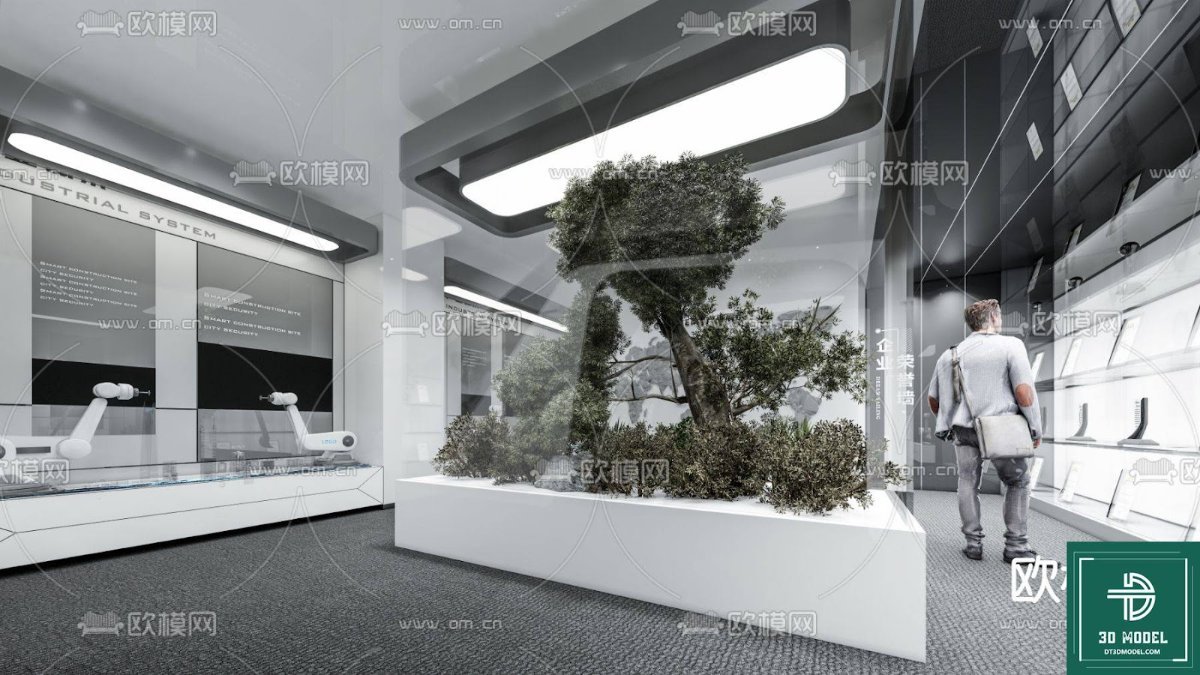
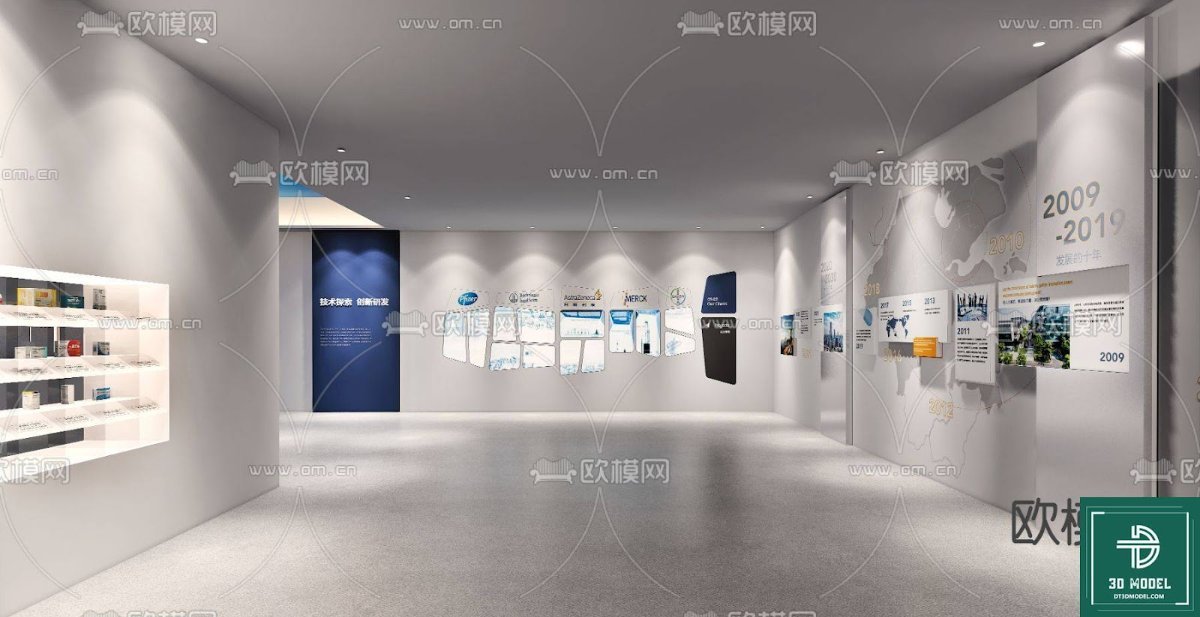
The exhibition hall SketchUp model boasts a high level of detail, capturing the essence of a modern, sophisticated display environment. From the sleek, illuminated pathways to the strategically placed display panels and central screen, every element has been rendered with precision. The clean lines and contemporary aesthetic make it suitable for a wide range of exhibition types, from corporate events to art installations. The resolution ensures that even close-up renders maintain clarity and visual appeal, crucial for high-quality presentations and client approvals.
Key Features and Design Elements
Upon closer inspection, the "phong trien lam SketchUp (156)" model reveals several standout features:
- Modular Display Walls: The model includes versatile display walls that can be adapted to showcase various types of content, from informational graphics to product displays.
- Integrated Lighting: Subtle yet effective lighting elements are incorporated into the design, suggesting a sophisticated ambiance and highlighting key areas.
- Central Multimedia Display: A prominent central screen serves as a focal point, ideal for dynamic presentations or interactive content.
- Open and Inviting Layout: The overall layout promotes easy navigation and a welcoming atmosphere for visitors.
- Reflective Surfaces: The use of reflective floor and ceiling elements adds depth and a sense of spaciousness, characteristic of modern exhibition design.
These features combine to create a visually striking and functionally sound exhibition space that can be customized to fit specific project requirements.
How to Utilize This Exhibition Hall SketchUp Model in Your Projects
Leveraging this premium SketchUp model from Posterfree.net is straightforward:
- Download and Import: Once downloaded, simply import the .skp file into your SketchUp Pro software.
- Customize Layout: Use SketchUp’s tools to rearrange display panels, add or remove elements, and adjust the overall floor plan to suit your exhibition’s specific needs.
- Material and Texture Application: Experiment with different materials and textures to match your brand’s aesthetic or the theme of the exhibition.
- Lighting Studies: Conduct lighting simulations to ensure optimal illumination for all exhibits and pathways.
- Render and Present: Utilize rendering plugins to create photorealistic images and walkthrough animations for client presentations.
This model serves as an excellent starting point, saving countless hours of initial modeling and allowing designers to focus on the creative aspects of their projects.
Why Choose Posterfree.net for Your Design Resources?
Posterfree.net has established itself as a premier destination for high-quality graphic resources, and our "phong trien lam SketchUp (156)" is a prime example of the caliber of assets we offer. We understand the demands of professional designers and strive to provide resources that are not only aesthetically pleasing but also technically sound and easy to integrate into existing workflows. Our commitment to excellence ensures that you receive reliable, top-tier models that enhance your productivity and elevate your final designs.
By choosing Posterfree.net, you gain access to a curated collection of assets that empower you to bring your most ambitious visions to life with confidence and precision. Our reputation is built on delivering value, quality, and a seamless user experience, making us the go-to platform for designers worldwide.
Frequently Asked Questions About 3D Exhibition Models
Related Demo Images




Frequently Asked Questions
What software is required to use this SketchUp model?
This model is designed for use with Trimble SketchUp Pro. While some viewers might open .skp files, full editing and customization capabilities require SketchUp Pro.
Can I modify the layout and elements of the exhibition hall model?
Yes, absolutely! The model is fully editable within SketchUp Pro, allowing you to customize the layout, add or remove display elements, change materials, and adjust lighting to fit your specific project requirements.
Is this model suitable for commercial projects?
Yes, resources from Posterfree.net, including this exhibition hall SketchUp model, are generally suitable for both personal and commercial projects. Please refer to our licensing terms for specific usage details.
What level of detail can I expect from this 3D model?
The ‘phong trien lam SketchUp (156)’ model offers a high level of detail, featuring intricate design elements, realistic proportions, and well-defined surfaces, making it ideal for professional presentations and renderings.





























