

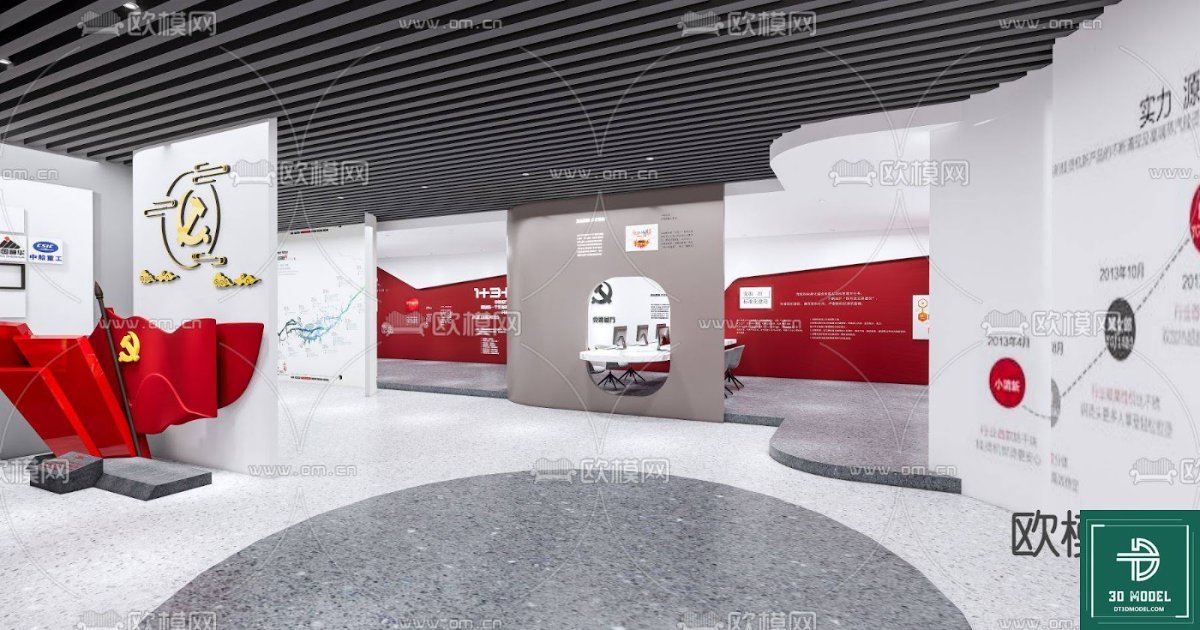
Exhibition Hall SketchUp Model. Discover our premium Exhibition Hall SketchUp Model for stunning 3D visualizations. Perfect for architects and designers, this model offers detailed design and easy customization.
Transform Your Designs with Our Premium Exhibition Hall SketchUp Model
In the dynamic world of architecture and interior design, creating compelling visualizations is paramount. Whether you’re pitching a concept to a client or refining your design, a high-quality 3D model can make all the difference. At Posterfree.net, we understand this need, which is why we’re proud to present our exclusive Exhibition Hall SketchUp Model. This meticulously crafted resource is designed to empower designers, architects, and event planners to bring their visions to life with unparalleled realism and efficiency.
Why Choose Our Exhibition Hall SketchUp Model?
Our Exhibition Hall SketchUp Model stands out for its exceptional detail, versatility, and ease of use. It’s not just a collection of shapes; it’s a comprehensive environment ready for your creative input. Here’s what makes it an indispensable tool:
- High Fidelity Design: Every element within the model, from the architectural structure to the intricate display areas, has been rendered with precision. This ensures that your presentations will have a professional and polished look.
- Optimized for SketchUp: Built natively in SketchUp, this model leverages the software’s strengths, offering smooth navigation and easy modification. Designers familiar with SketchUp will find it intuitive to work with.
- Versatile Application: Ideal for a wide range of projects, including trade show booths, museum exhibits, corporate lobbies, and art galleries. Its neutral yet modern aesthetic provides a perfect canvas for various themes and branding.
- Time-Saving Solution: Starting a design from scratch can be time-consuming. Our pre-built model allows you to jump straight into customization, saving valuable hours in your project timeline.
- Scalable and Adaptable: Easily adjust the layout, add or remove elements, and integrate your specific design components without compromising the model’s integrity.
Detailed Analysis of the Exhibition Hall SketchUp Model
Let’s delve deeper into the features that make this Exhibition Hall SketchUp Model a must-have for your design toolkit.
Architectural Layout and Structure
The model features a contemporary exhibition hall layout characterized by clean lines, open spaces, and strategic divisions. Key elements include:
- Spacious Main Hall: A central area designed for large displays or gathering points, offering flexibility for various event types.
- Curved Walls and Partitions: Modern, flowing architectural elements that create distinct zones within the hall, perfect for guiding visitors and showcasing different exhibits.
- Integrated Lighting Solutions: The model includes basic lighting fixtures and considerations for natural light, providing a realistic ambiance. You can easily modify these to suit your specific lighting design.
- Ceiling Design: A sophisticated ceiling structure with integrated lighting channels adds to the modern aesthetic and provides a sense of depth.
Display and Interaction Zones
Our model is equipped with various display areas, ready for your content:
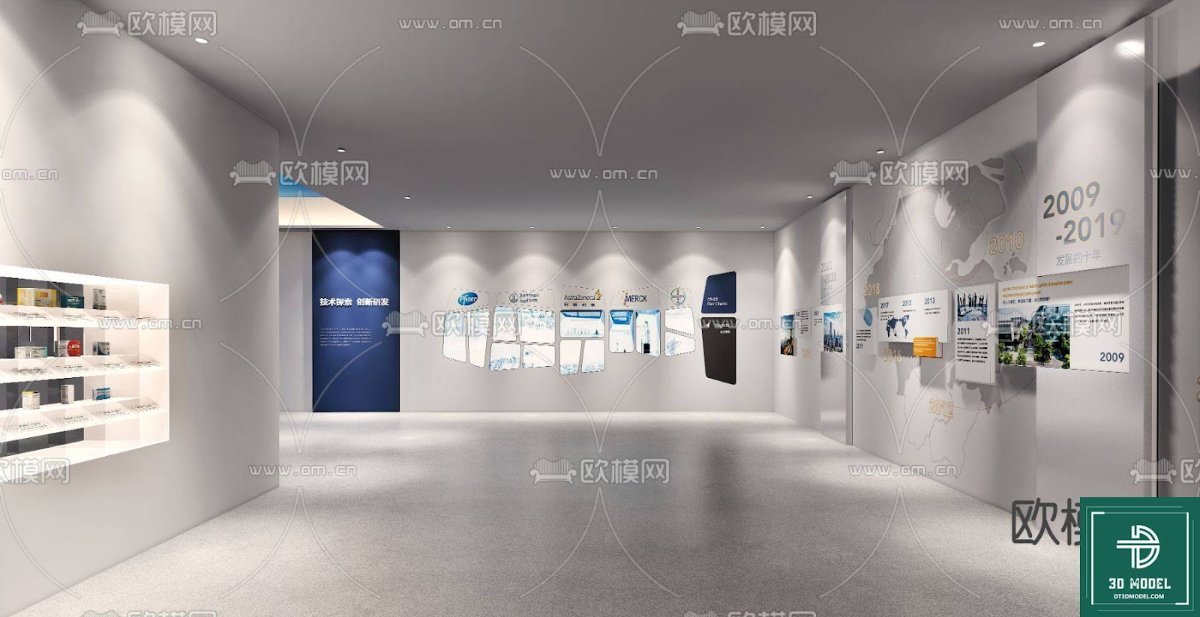
- Wall-Mounted Displays: Large, prominent wall spaces ideal for graphic panels, informational posters, or digital screens.
- Freestanding Kiosks/Pedestals: Designated areas for interactive displays, product showcases, or sculptural elements.
- Seating Areas: Thoughtfully placed seating arrangements for visitors to rest or engage in discussions, enhancing the user experience.
Materiality and Finishes
The model incorporates a refined selection of materials and finishes that contribute to its modern and professional look:
- Polished Concrete Flooring: A sleek, durable, and contemporary flooring choice that complements the overall aesthetic.
- White and Grey Walls: A neutral color palette that provides a clean backdrop, allowing your exhibits to stand out.
- Red Accents: Strategic use of red in certain areas adds a touch of vibrancy and can be customized to match corporate branding.
How to Utilize This Exhibition Hall SketchUp Model in Your Projects
Integrating our Exhibition Hall SketchUp Model into your workflow is straightforward:
- Download and Import: Acquire the model from Posterfree.net and import it into your SketchUp project.
- Customize Layout: Adjust the walls, partitions, and display areas to match your specific exhibition requirements.
- Add Your Content: Place your graphics, product models, and interactive elements within the designated display zones.
- Render and Visualize: Use SketchUp’s rendering capabilities or export to other rendering software to create photorealistic images and walkthroughs.
- Present with Confidence: Showcase your designs to clients, stakeholders, or event organizers with stunning visuals that clearly communicate your vision.
The Posterfree.net Advantage
At Posterfree.net, we are committed to providing premium graphic resources that empower creativity and efficiency. Our Exhibition Hall SketchUp Model is a testament to our dedication to quality and user satisfaction. We ensure that all our assets are meticulously designed, easy to use, and compatible with industry-standard software.
By choosing Posterfree.net, you gain access to a vast library of high-quality resources, backed by a reputation for excellence. We continuously update our collection to meet the evolving needs of designers and creatives worldwide. Elevate your architectural visualizations and exhibition designs with Posterfree.net’s professional-grade 3D models.
Frequently Asked Questions about 3D Models
Hình ảnh demo liên quan






Câu hỏi thường gặp
What software is required to use this Exhibition Hall SketchUp Model?
This model is specifically designed for SketchUp. You will need SketchUp Pro or SketchUp Free (web version) to open and edit the file.
Can I customize the colors and materials in the model?
Yes, absolutely. The model is fully customizable. You can easily change colors, apply different textures, and modify materials within SketchUp to match your specific design requirements.
Is this model suitable for commercial projects?
Yes, our Exhibition Hall SketchUp Model is suitable for both personal and commercial projects. Please refer to Posterfree.net’s licensing terms for full details on usage rights.
What is the resolution of the model?
The model is provided in a high-detail resolution, optimized for performance within SketchUp while maintaining visual quality. It’s suitable for generating high-quality renders and walkthroughs.
How do I get support if I have issues with the model?
Posterfree.net offers dedicated customer support. If you encounter any issues or have questions regarding the Exhibition Hall SketchUp Model, please contact our support team through our website.





























