

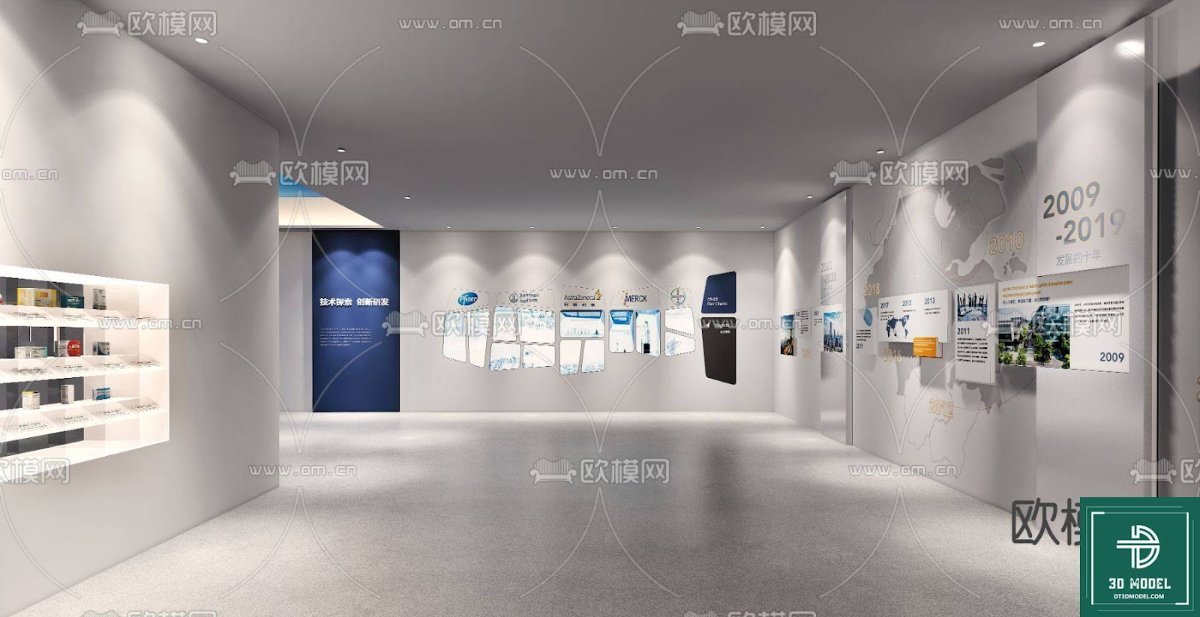
Exhibition Hall SketchUp Model. Discover a premium exhibition hall SketchUp model for your next design project. This detailed 3D model is perfect for architects and designers.
Elevate Your Designs with a Premium Exhibition Hall SketchUp Model
In the dynamic world of architectural visualization and interior design, having access to high-quality 3D models is paramount. Whether you’re conceptualizing a new museum, a corporate showroom, or a temporary art installation, a robust exhibition hall SketchUp model can significantly streamline your workflow and enhance your presentations. At Posterfree.net, we pride ourselves on offering an extensive library of professional-grade graphic resources, and this particular exhibition hall SketchUp model (phong trien lam SketchUp (112)) is a shining example of our commitment to excellence.
Unpacking the Exhibition Hall SketchUp Model: A Detailed Analysis
This specific SketchUp model provides a versatile and well-structured foundation for various exhibition design scenarios. Let’s delve into its key features and potential applications:
Layout and Spatial Dynamics
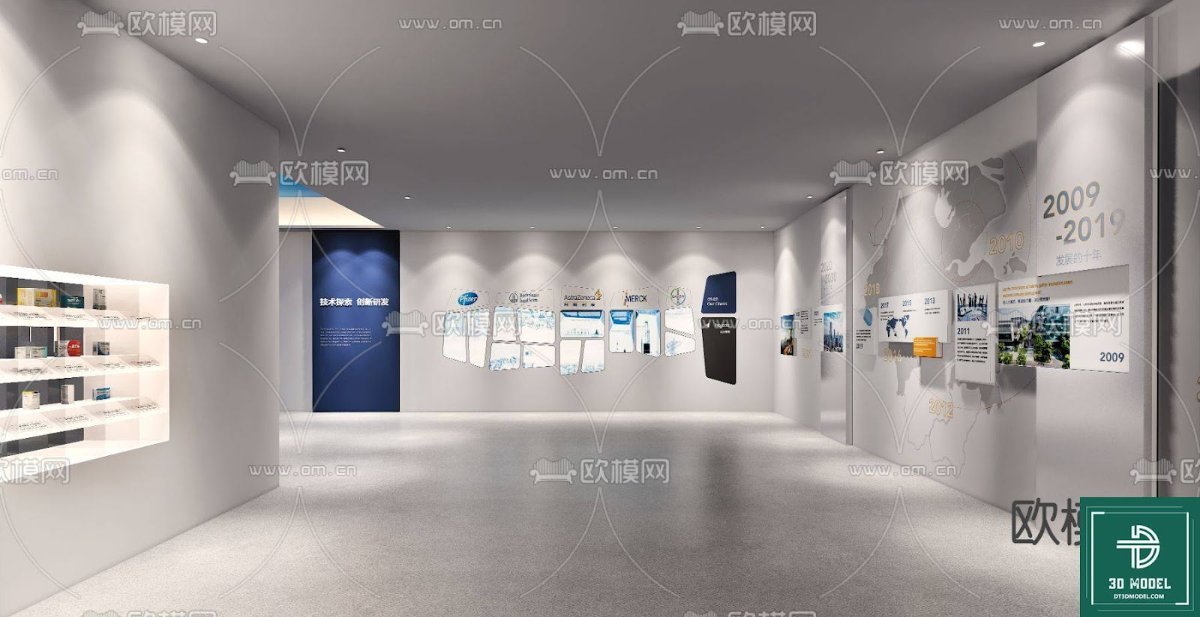
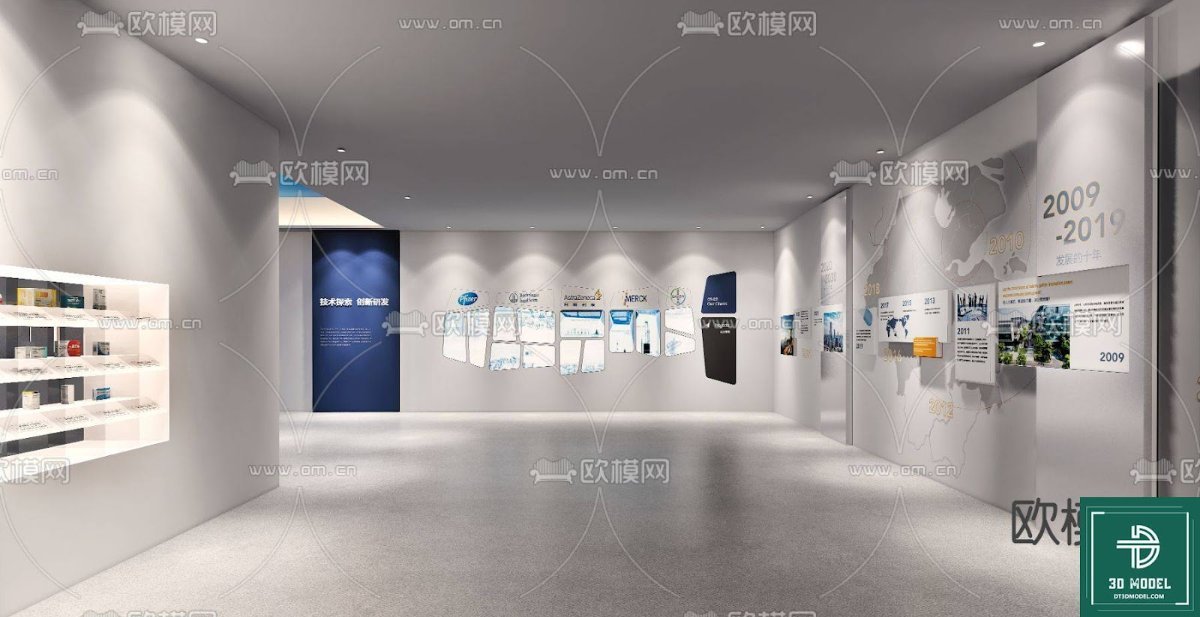
The model showcases a spacious, modern exhibition hall characterized by clean lines and an open-plan layout. The design effectively utilizes wall space for displays, with integrated lighting solutions that highlight exhibits. The central area is left clear, allowing for flexible arrangement of freestanding displays, seating, or interactive installations. This adaptability makes it suitable for diverse themes, from historical timelines to product launches.
Lighting and Ambiance
One of the standout features is the sophisticated lighting setup. Recessed spotlights along the ceiling provide focused illumination, creating dramatic effects and drawing attention to specific areas. The overall bright yet controlled lighting scheme ensures that any content placed within the hall will be clearly visible and aesthetically pleasing. This attention to lighting detail is crucial for creating realistic renders and conveying the intended atmosphere of an exhibition.
Display Elements and Customization
The model includes various display elements such as wall-mounted panels, shelves, and timeline graphics. These pre-existing elements serve as excellent placeholders and can be easily customized to fit your specific content. Imagine populating the shelves with product prototypes or replacing the timeline with a company’s journey. The flexibility offered by this exhibition hall SketchUp model allows designers to quickly iterate on ideas without starting from scratch.
Why Choose Posterfree.net for Your 3D Models?
Posterfree.net has established itself as a go-to resource for designers, architects, and marketers seeking premium graphic assets. Our reputation is built on several core principles:
- Quality Assurance: Every resource, including this exhibition hall SketchUp model, undergoes rigorous quality checks to ensure accuracy, detail, and usability.
- Extensive Library: We offer a vast collection of models, templates, and graphics, catering to a wide range of industries and design needs.
- User-Friendly Formats: Our resources are provided in industry-standard formats, ensuring compatibility with popular design software like SketchUp, Photoshop, and Illustrator.
- SEO Optimized Content: We ensure our descriptions and articles are optimized to help you find the exact resources you need quickly and efficiently.
Practical Applications of This Exhibition Hall SketchUp Model
The versatility of this exhibition hall SketchUp model makes it invaluable for numerous professional applications:
Architectural Presentations
Architects can use this model to present conceptual designs for new exhibition spaces, showcasing spatial flow, lighting plans, and material choices to clients. It provides a realistic context for proposed structures.
Interior Design Visualizations
Interior designers can leverage the model to visualize different layouts, furniture arrangements, and display strategies for temporary or permanent exhibitions. It’s perfect for experimenting with color schemes and material finishes.
Event Planning and Marketing
Event planners can utilize the model to plan the setup of trade show booths, art exhibitions, or corporate events, ensuring optimal visitor flow and exhibit visibility. Marketers can create compelling visuals for promotional materials before an event even takes place.
Educational Purposes
Students and educators in architecture and design programs can use this model as a teaching aid or a starting point for learning 3D modeling and visualization techniques.
Resolution and Format Considerations
This particular exhibition hall SketchUp model is provided in the native SketchUp format (.SKP), ensuring full compatibility with SketchUp Pro and SketchUp Free (web version). The resolution and detail are optimized for both close-up renders and broader spatial views, allowing for high-quality output in various scales. Designers can easily adjust textures, materials, and lighting within SketchUp to achieve their desired aesthetic.
How to Use and Customize Your Exhibition Hall Model
- Download: Obtain the .SKP file from Posterfree.net.
- Open in SketchUp: Import the model into your SketchUp software.
- Explore: Navigate through the model to understand its structure and components.
- Customize Displays: Replace placeholder images on wall panels and shelves with your own content.
- Adjust Lighting: Modify the intensity, color, and position of lights to create different moods.
- Add Elements: Introduce additional 3D models of furniture, art pieces, or interactive kiosks to personalize the space.
- Render: Use SketchUp’s rendering capabilities or integrate with external renderers (like V-Ray or Enscape) for photorealistic outputs.
Conclusion
The exhibition hall SketchUp model (phong trien lam SketchUp (112)) available on Posterfree.net is an indispensable tool for anyone involved in architectural visualization, interior design, or event planning. Its detailed design, flexible layout, and high-quality presentation make it an ideal starting point for numerous projects. By leveraging this premium resource, you can save valuable time, enhance your creative output, and deliver stunning visualizations that captivate your audience. Explore this model and many more high-quality graphic assets at Posterfree.net today, and experience the difference that professional resources can make.
Hình ảnh demo liên quan

Câu hỏi thường gặp
What software is required to use this exhibition hall SketchUp model?
This model is provided in the .SKP format, so you will need SketchUp Pro or the web-based SketchUp Free to open and edit it.
Can I customize the displays and lighting in the model?
Yes, the model is fully customizable. You can easily change textures, replace placeholder images on displays, and adjust the intensity and color of the lights within SketchUp.
Is this model suitable for commercial projects?
Yes, resources from Posterfree.net are generally suitable for both personal and commercial projects, subject to our licensing terms. Please refer to the specific license details for this asset.
What level of detail can I expect from this SketchUp model?
This exhibition hall SketchUp model is designed with a high level of detail, suitable for close-up renders and comprehensive spatial planning, ensuring professional-quality outputs.





























