Exhibition Booth SketchUp Model. Download a high-quality Exhibition Booth SketchUp Model for your next trade show design. Perfect for visualizing your event space with ease and precision.
Elevate Your Event Planning with a Premium Exhibition Booth SketchUp Model
In the competitive world of trade shows and events, a well-designed exhibition booth is crucial for capturing attention and making a lasting impression. For designers, marketers, and event planners, visualizing and presenting these designs effectively is paramount. This is where a high-quality Exhibition Booth SketchUp Model becomes an indispensable tool. Posterfree.net is proud to offer a premium resource that empowers you to create stunning, realistic booth designs with unparalleled ease and precision.
The Power of 3D Visualization in Exhibition Design
Gone are the days of relying solely on 2D blueprints or rough sketches. 3D models, especially those created in SketchUp, provide a comprehensive and immersive way to experience a design before it’s even built. Our Exhibition Booth SketchUp Model allows you to:
- Visualize Layouts: See how your booth will fit into the exhibition space, understanding flow and visitor interaction.
- Experiment with Branding: Apply different graphics, logos, and color schemes to find the perfect brand representation.
- Optimize Space: Arrange furniture, displays, and interactive elements to maximize engagement and efficiency.
- Present Professionally: Impress clients and stakeholders with realistic renderings and walkthroughs of the proposed design.
Key Features of Our Exhibition Booth SketchUp Model
This particular Exhibition Booth SketchUp Model, known as “Phong trien lam SketchUp (55)”, is meticulously crafted to offer flexibility and detail. It comes in a convenient ZIP archive, ensuring easy download and integration into your workflow. The model features a modern, versatile design that can be adapted for various industries and event types. Its modular nature allows for customization, letting you adjust elements to fit specific requirements.
Detailed Analysis of the Model’s Structure and Design
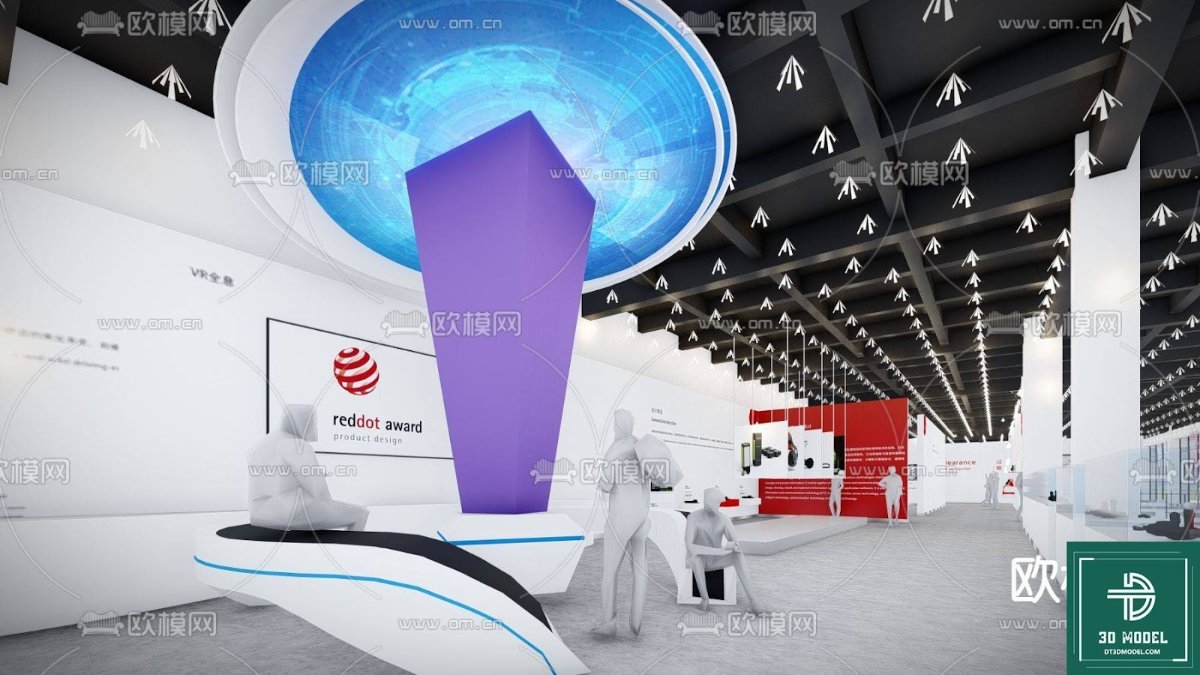
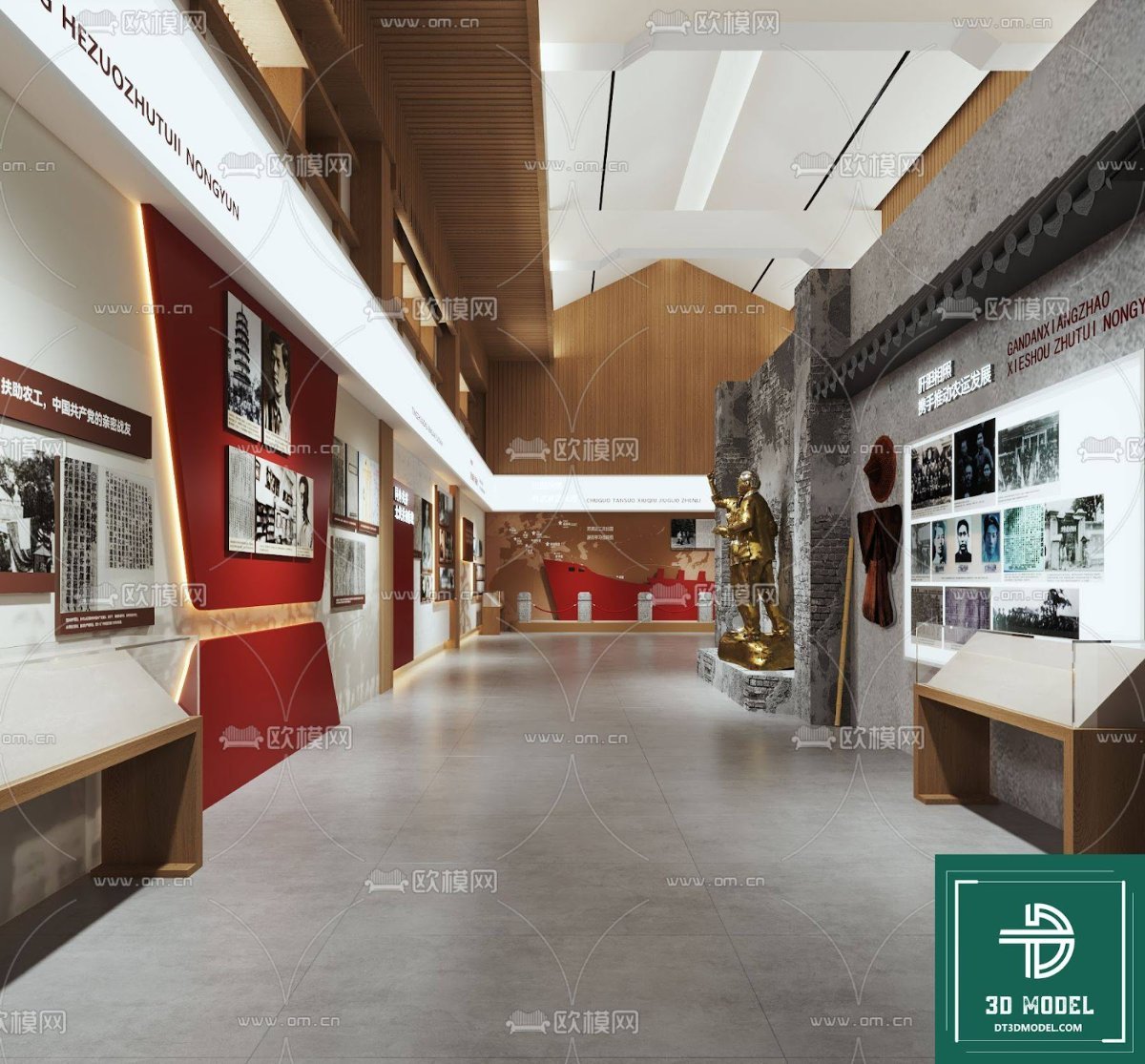
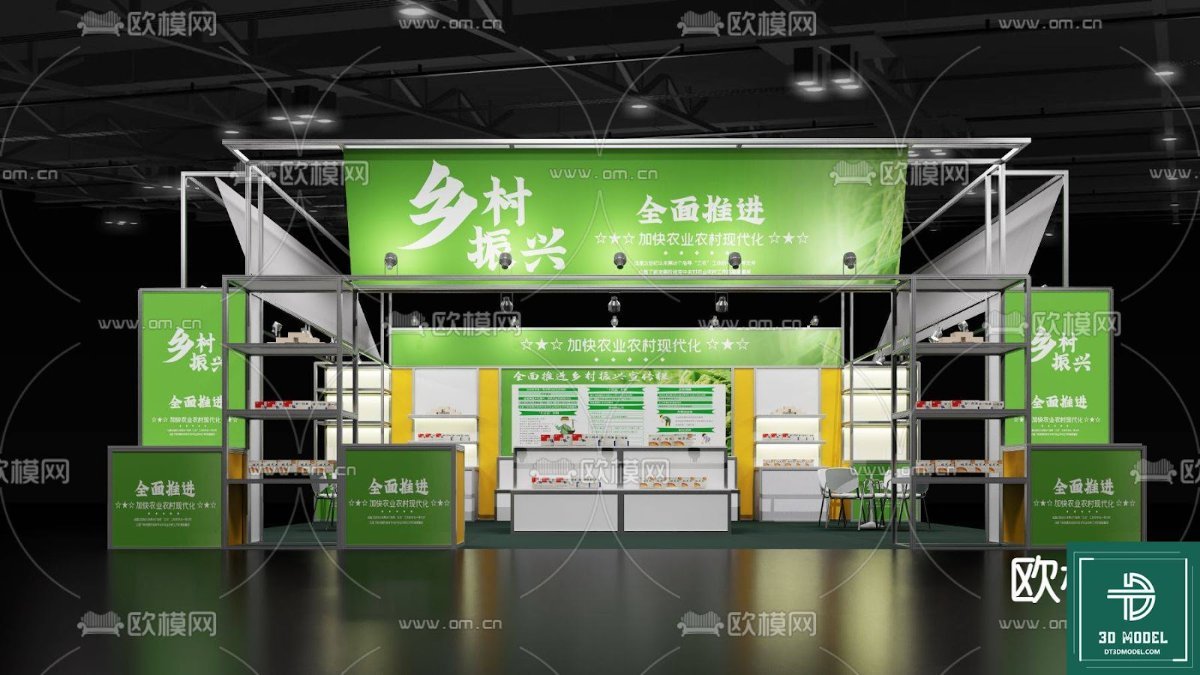
The model showcases a multi-level booth structure, providing ample space for branding, product displays, and interactive zones. The prominent use of green and white in the default textures suggests a focus on themes like agriculture, sustainability, or fresh produce, but these are easily changeable. The upper banner area provides excellent visibility for company logos or key messages, ensuring your brand stands out in a crowded exhibition hall.
The ground level features multiple display counters and shelving units, perfect for showcasing products or providing informational brochures. The open layout encourages visitors to explore, while the clear pathways ensure smooth traffic flow. The use of subtle lighting elements within the model further enhances its realism, allowing for accurate light studies and shadow casting.
How to Utilize Your Exhibition Booth SketchUp Model
Using this Exhibition Booth SketchUp Model is straightforward for anyone familiar with SketchUp. Once downloaded and extracted, you can open the .skp file directly in SketchUp. From there, you can:
- Customize Materials: Change the textures and colors of walls, floors, and display units to match your brand guidelines.
- Add Your Graphics: Import your company’s logos, slogans, and promotional images onto the designated banner and display areas.
- Populate with Assets: Add 3D models of products, furniture, or even virtual attendees to create a more lively scene.
- Render High-Quality Images: Use SketchUp’s rendering capabilities or integrate with external renderers like V-Ray or Enscape to produce photorealistic images and animations.
- Create Walkthroughs: Generate animated tours of the booth to give clients a dynamic perspective of the space.
The resolution of the model is optimized for performance within SketchUp while maintaining a high level of detail, making it suitable for both quick conceptualization and detailed final renderings. Its clean geometry ensures smooth manipulation and rendering without unnecessary computational strain.
Why Choose Posterfree.net for Your 3D Models?
Posterfree.net is renowned as a premium resource for high-quality graphic design assets, and our 3D models are no exception. We understand the demands of professional designers and strive to provide resources that are not only aesthetically pleasing but also technically sound and easy to use. When you download an Exhibition Booth SketchUp Model from Posterfree.net, you benefit from:
- Professional Quality: Every model is crafted with attention to detail and industry standards.
- Time-Saving Solutions: Ready-to-use models significantly cut down design time, allowing you to focus on creativity.
- Versatility: Our assets are designed to be adaptable for a wide range of projects and client needs.
- Reliable Support: We are committed to providing excellent resources that enhance your design workflow.
Frequently Asked Questions about Exhibition Booth SketchUp Models
Related Demo Images





Frequently Asked Questions
What software do I need to open this Exhibition Booth SketchUp Model?
You will need SketchUp (Make or Pro version) installed on your computer to open and edit this .skp file. The model is compatible with recent versions of SketchUp.
Can I customize the branding and colors on the booth model?
Absolutely! The model is designed for easy customization. You can change materials, apply new textures, and add your own graphics and logos to the designated areas within SketchUp to match your brand identity.
Is this model suitable for commercial use?
Yes, resources downloaded from Posterfree.net, including this Exhibition Booth SketchUp Model, are generally suitable for both personal and commercial projects, subject to our licensing terms. Please refer to our website for specific licensing details.
What is the typical resolution or detail level of this SketchUp model?
This model is created with a high level of detail suitable for professional renderings and presentations while maintaining optimal performance within SketchUp. It provides a realistic representation without being overly complex, ensuring smooth editing and rendering.