

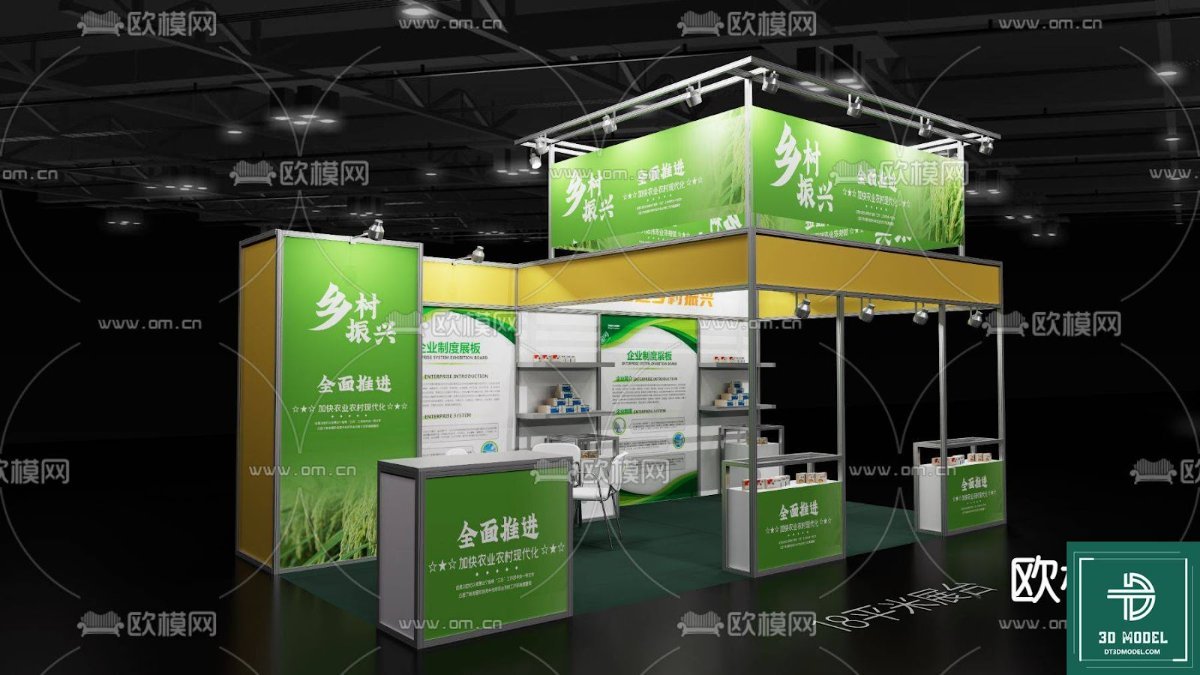
Exhibition Booth SketchUp Model. Download a free, high-quality Exhibition Booth SketchUp Model from Posterfree.net, perfect for visualizing your next trade show display with ease and precision.
Design Your Perfect Display with a Free Exhibition Booth SketchUp Model
In the competitive world of trade shows and events, a well-designed exhibition booth is crucial for attracting attention and making a lasting impression. Visualizing your booth before construction is essential, and that’s where a high-quality Exhibition Booth SketchUp Model comes into play. Posterfree.net is proud to offer a premium, free SketchUp model that empowers designers, marketers, and businesses to plan their perfect display with unparalleled precision and creativity.
Why Choose a SketchUp Model for Your Exhibition Booth?
SketchUp is renowned for its user-friendly interface and powerful 3D modeling capabilities, making it an ideal tool for exhibition booth design. Using a SketchUp model allows you to:
- Visualize in 3D: See your booth from every angle, understanding its spatial dynamics and how visitors will interact with it.
- Experiment with Layouts: Easily rearrange elements, test different configurations, and optimize traffic flow without physical constraints.
- Integrate Branding: Apply your branding, graphics, and color schemes directly to the model to ensure a cohesive and impactful presentation.
- Identify Potential Issues: Spot design flaws or logistical challenges early in the process, saving time and money on costly revisions.
- Communicate Effectively: Share realistic renderings with clients, contractors, and team members, ensuring everyone is on the same page.
Our Exhibition Booth SketchUp Model provides a robust foundation for all these critical design tasks.
Detailed Analysis of Our Exhibition Booth SketchUp Model
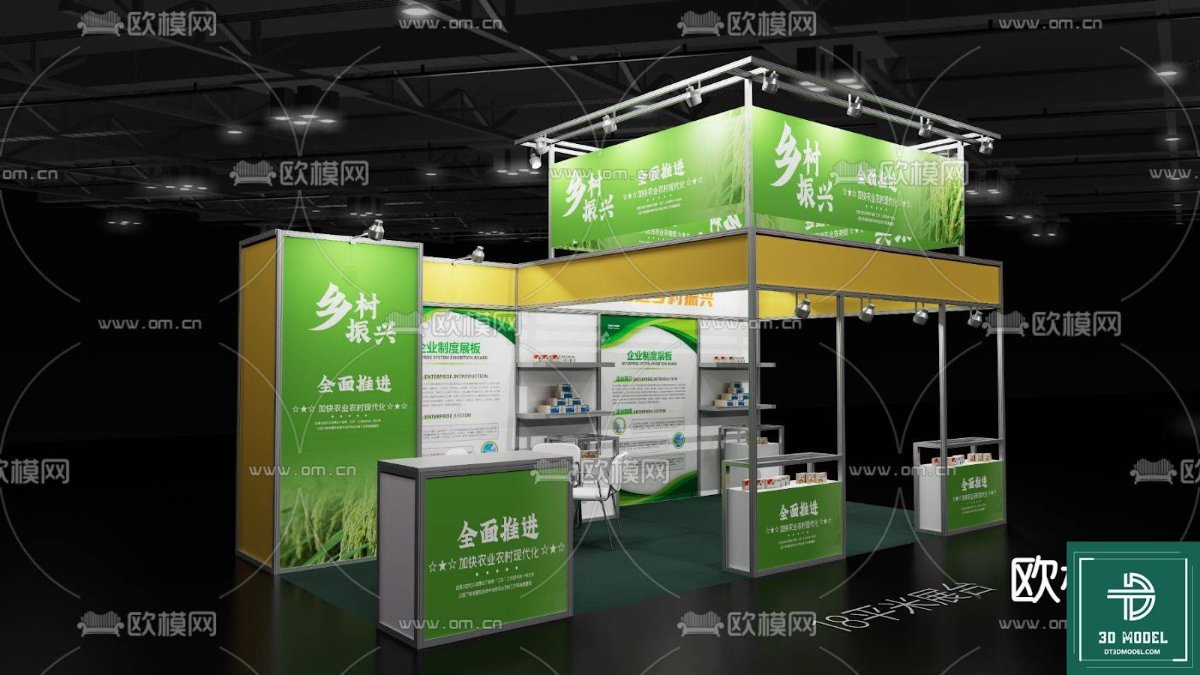
The ‘Phong trien lam SketchUp (55)’ model available on Posterfree.net is a meticulously crafted resource designed to meet the demands of professional exhibition planning. This model features:
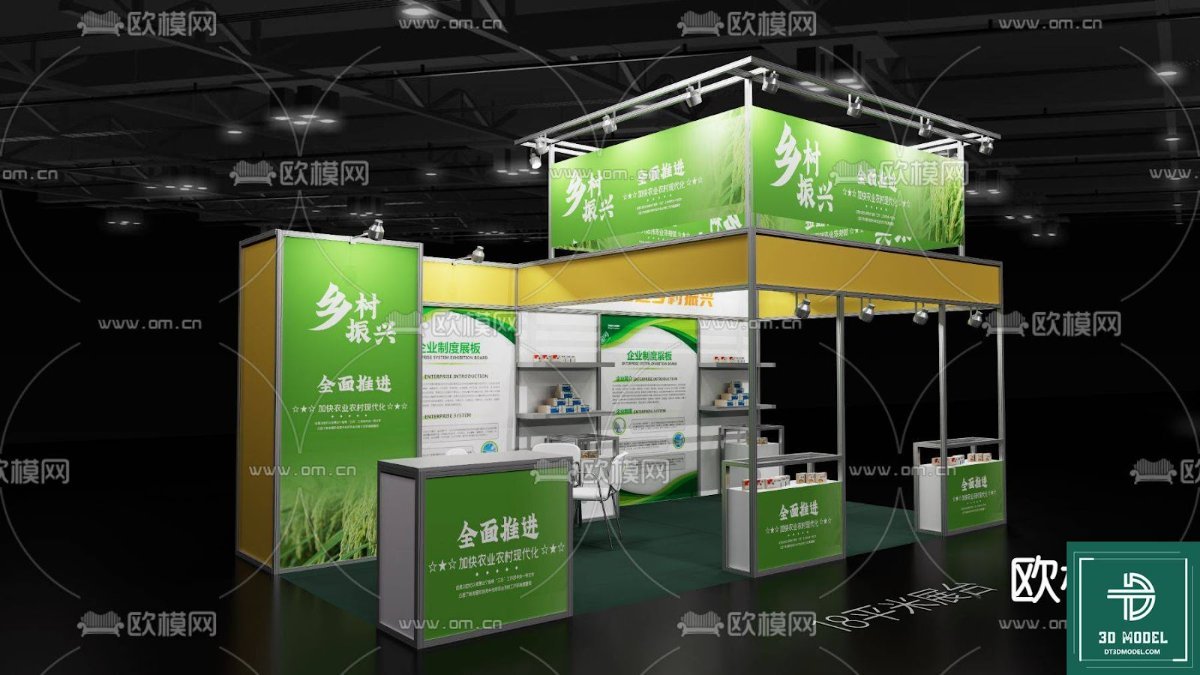
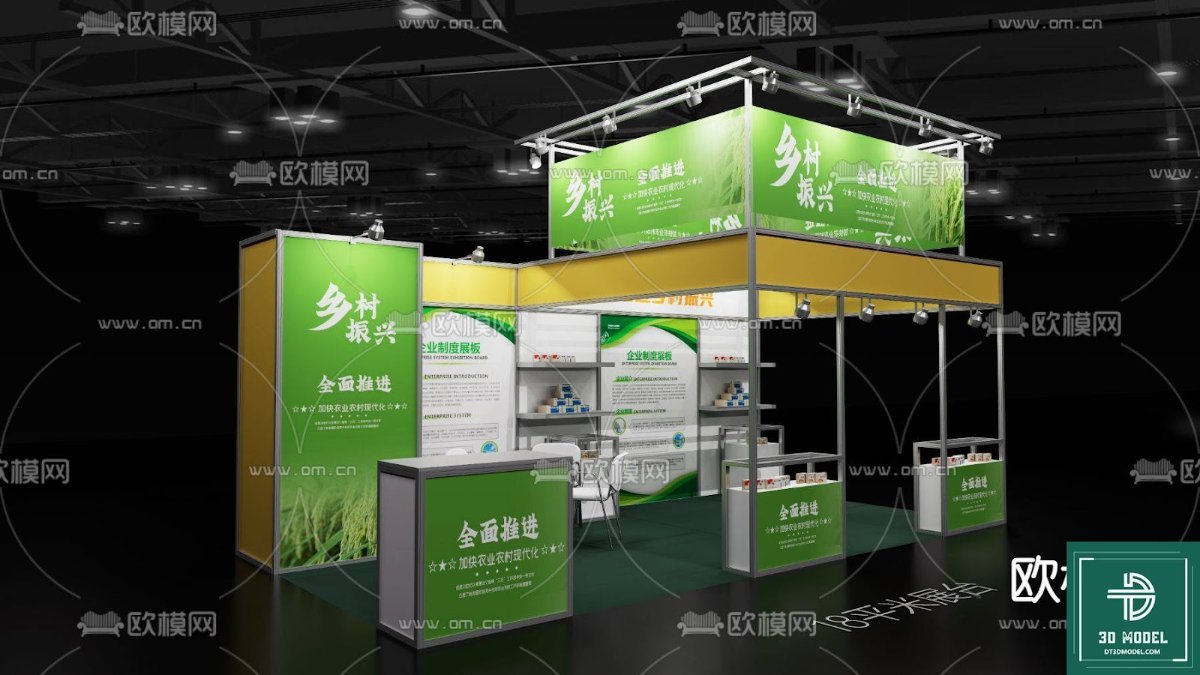
- Comprehensive Structure: A multi-level booth design, complete with display areas, shelving, and prominent branding opportunities. The structure includes a sturdy base, a second-story platform, and overhead lighting rigs, offering a realistic representation of a modern exhibition space.
- Realistic Textures and Materials: The model incorporates realistic textures for various surfaces, including the green graphic panels, metallic frames, and display counters. This attention to detail enhances the visual fidelity of your renderings.
- Scalable Design: While detailed, the model is designed to be easily scalable and customizable. Users can modify dimensions, add or remove elements, and adapt the layout to suit specific event requirements and venue sizes.
- Optimized for Performance: Despite its detail, the model is optimized for performance within SketchUp, ensuring smooth navigation and rendering even on moderately powerful systems.
- Versatile Application: Ideal for a wide range of industries, from agriculture (as depicted in the sample image) to technology, retail, and more. The neutral yet professional design allows for easy adaptation to any brand identity.
How to Use Your Free Exhibition Booth SketchUp Model
Getting started with your Exhibition Booth SketchUp Model from Posterfree.net is straightforward:
- Download the Model: Visit Posterfree.net and download the ‘Phong trien lam SketchUp (55)’ ZIP file.
- Extract and Open: Unzip the file and open the SketchUp model (.skp) in your SketchUp software.
- Customize Your Design:
- Apply Your Graphics: Use SketchUp’s ‘Paint Bucket’ tool to apply your company’s logos, banners, and promotional imagery to the designated display panels.
- Adjust Layout: Move, rotate, or duplicate elements like display counters and shelves to create your ideal flow.
- Add Products: Import 3D models of your products or props to populate the display areas and make your booth come alive.
- Experiment with Lighting: Utilize SketchUp’s lighting tools or integrate with rendering plugins to simulate realistic lighting conditions.
- Render and Present: Generate high-quality images or animations of your designed booth to share with stakeholders.
This model serves as an excellent starting point, saving you countless hours of modeling from scratch and allowing you to focus on the creative aspects of your booth design.
The Posterfree.net Advantage: Your Go-To for Premium Resources
At Posterfree.net, we are committed to providing designers and businesses with access to a vast library of high-quality, free graphic resources. Our reputation as a premium resource stems from our dedication to:
- Quality Assurance: Every resource, including this Exhibition Booth SketchUp Model, undergoes rigorous quality checks to ensure it meets professional standards.
- User-Centric Design: We understand the needs of our users and strive to provide assets that are not only visually appealing but also practical and easy to use.
- Regular Updates: Our library is constantly growing with new and relevant resources, keeping you ahead of design trends.
- Accessibility: We believe that top-tier design tools should be accessible to everyone, which is why many of our resources are offered for free.
By choosing Posterfree.net, you’re not just downloading a file; you’re gaining a reliable partner in your creative endeavors. Our resources are trusted by professionals worldwide to deliver stunning results.
Conclusion
Don’t leave your exhibition booth design to chance. Leverage the power of 3D visualization with our free Exhibition Booth SketchUp Model. It’s an invaluable tool for planning, designing, and presenting your next trade show presence with confidence and flair. Download it today from Posterfree.net and transform your design process. Elevate your brand’s visibility and create an unforgettable experience for your visitors with a booth that truly stands out.
Hình ảnh demo liên quan

Câu hỏi thường gặp
What software is required to use this Exhibition Booth SketchUp Model?
You will need SketchUp software (either SketchUp Free, SketchUp Shop, or SketchUp Pro) to open and edit this .skp model file.
Can I customize the branding and graphics on the booth model?
Yes, absolutely! The model is designed for easy customization. You can use SketchUp’s ‘Paint Bucket’ tool to apply your own textures, logos, and graphics to the display panels and surfaces.
Is this model suitable for commercial use?
Please refer to the specific licensing terms provided on Posterfree.net for the ‘Phong trien lam SketchUp (55)’ resource. Generally, our free resources are intended for both personal and commercial projects, but always double-check the individual asset’s license.
What is the resolution or detail level of this SketchUp model?
This model is crafted with a high level of detail suitable for realistic renderings and close-up views, while also being optimized for smooth performance within SketchUp. It includes structural elements, display areas, and some basic fixtures.
How can I get more 3D models like this?
You can explore the ‘3D Models’ category on Posterfree.net for a wide range of similar high-quality, free SketchUp models and other 3D assets for your design projects.





























