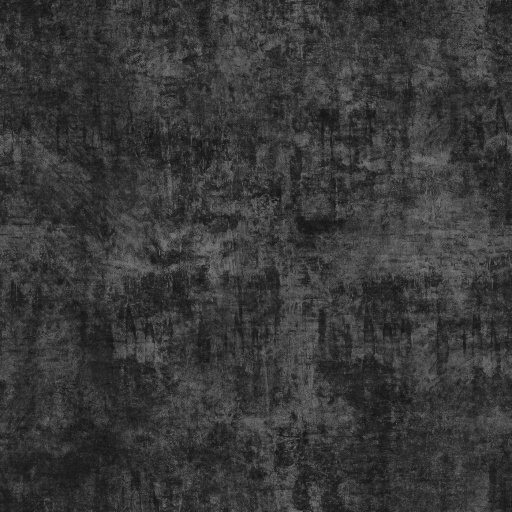
Elegant Gray Background Vector. Discover the versatility of an elegant gray background vector for your design projects. Perfect for sleek, modern aesthetics, this resource enhances any visual.
Unlock Sophistication with an Elegant Gray Background Vector
In the world of graphic design, the right background can make or break a project. It sets the tone, enhances readability, and provides a canvas for your creative vision. Today, we delve into the understated power of an elegant gray background vector, a versatile asset that every designer should have in their toolkit. At Posterfree.net, we pride ourselves on offering premium, high-quality resources, and this gray background is a prime example of our commitment to excellence.
The Timeless Appeal of Gray
Gray is more than just a neutral color; it’s a symbol of balance, sophistication, and timelessness. It bridges the gap between black and white, offering a spectrum of shades that can evoke various moods and aesthetics. An elegant gray background vector brings a sense of calm and professionalism to any design. It’s not distracting, allowing your main content to shine, yet it provides a solid, stylish foundation.
- Versatility: Gray complements almost any color palette.
- Professionalism: Conveys a sense of seriousness and reliability.
- Modernity: Often associated with contemporary and minimalist design.
- Subtlety: Provides depth without overpowering other elements.
Why Choose a Vector Format?
When it comes to backgrounds, especially those intended for diverse applications, the vector format is paramount. Unlike raster images, vectors are resolution-independent, meaning they can be scaled to any size without losing quality. This is crucial for designers working on projects ranging from small web icons to large-format prints.
Our elegant gray background vector is provided in formats like AI, EPS, and SVG, ensuring maximum flexibility:
- Scalability: Resize without pixelation, perfect for any medium.
- Editability: Easily modify colors, shapes, and gradients to match your brand.
- Lightweight Files: Vector files are generally smaller, leading to faster loading times for web projects.
- Future-Proof: Adaptable to new technologies and display resolutions.
Applications of an Elegant Gray Background Vector
The utility of a high-quality gray background is virtually limitless. Its neutral yet sophisticated nature makes it suitable for a wide array of design projects across various industries.
Branding and Corporate Identity
For businesses aiming for a sleek, professional image, an elegant gray background vector is an excellent choice. It can be used in:
- Logos and Branding Guides: As a foundational element.
- Business Cards and Letterheads: Lending a touch of class.
- Presentations: Creating a clean, focused backdrop for information.
- Website Design: Providing a minimalist and modern aesthetic.
Marketing and Advertising
In marketing, clarity and impact are key. A gray background can help your message stand out without visual clutter.
- Brochures and Flyers: Enhancing readability of text and images.
- Social Media Graphics: Creating a cohesive and professional look.
- Digital Banners and Ads: Ensuring your call to action is prominent.
Creative Projects and Art
Beyond corporate uses, this background can inspire artistic endeavors.
- Photography Backdrops: A neutral canvas for product or portrait photography.
- Digital Art: Providing a subtle texture or base for illustrations.
- UI/UX Design: As a clean interface element.
How to Integrate This Resource into Your Workflow
Using the elegant gray background vector from Posterfree.net is straightforward. Once downloaded, you can open it in popular vector editing software such as Adobe Illustrator, CorelDRAW, or Inkscape.
Here are some tips for optimal usage:
- Color Adjustment: While it’s a beautiful gray, you might want to slightly tweak its hue or saturation to perfectly match your project’s specific palette.
- Layering: Use it as a base layer and build your design elements on top. Ensure good contrast for text and other graphics.
- Texture Overlay: For added depth, consider overlaying subtle textures (e.g., noise, linen, concrete) with low opacity.
- Gradient Application: Experiment with linear or radial gradients of gray to create more dynamic backgrounds.
Posterfree.net: Your Go-To for Premium Graphic Resources
At Posterfree.net, we are dedicated to providing designers with a vast library of high-quality, professional graphic resources. Our collection, including this elegant gray background vector, is meticulously crafted to meet the diverse needs of creative professionals. We understand the importance of reliable, versatile assets that can elevate any project.
When you choose Posterfree.net, you’re not just downloading a file; you’re gaining access to a world of design possibilities backed by:
- Quality Assurance: Every resource is checked for precision and usability.
- Diverse Selection: A continually growing library to inspire your next project.
- User-Friendly Experience: Easy navigation and download process.
- Value: Premium resources often available at no cost or competitive pricing.
Elevate your designs with the sophisticated simplicity of an elegant gray background vector. Visit Posterfree.net today and explore our extensive collection to find the perfect assets for your creative endeavors. Let us be your partner in bringing your design visions to life with unparalleled quality and style.
Related Demo Images


Frequently Asked Questions
What makes a gray background ‘elegant’?
An ‘elegant’ gray background typically refers to a shade of gray that is refined, balanced, and sophisticated, often with subtle undertones or a clean, smooth appearance. It avoids harshness and provides a professional, timeless feel that complements other design elements without overpowering them.
Can I use this vector for commercial projects?
Yes, resources from Posterfree.net are generally available for both personal and commercial use, subject to our licensing terms. Always check the specific license details for each resource to ensure compliance with your project’s needs.
What software do I need to edit a vector background?
You will need vector editing software such as Adobe Illustrator, CorelDRAW, Inkscape (a free alternative), or Affinity Designer to open and edit vector files like AI, EPS, or SVG. These programs allow you to scale, recolor, and modify the vector elements.
How can I ensure my text stands out on a gray background?
To ensure text readability, use contrasting colors. White or light-colored text works well on darker grays, while black or dark-colored text is effective on lighter grays. You can also add a subtle drop shadow or outline to your text for better separation from the background.