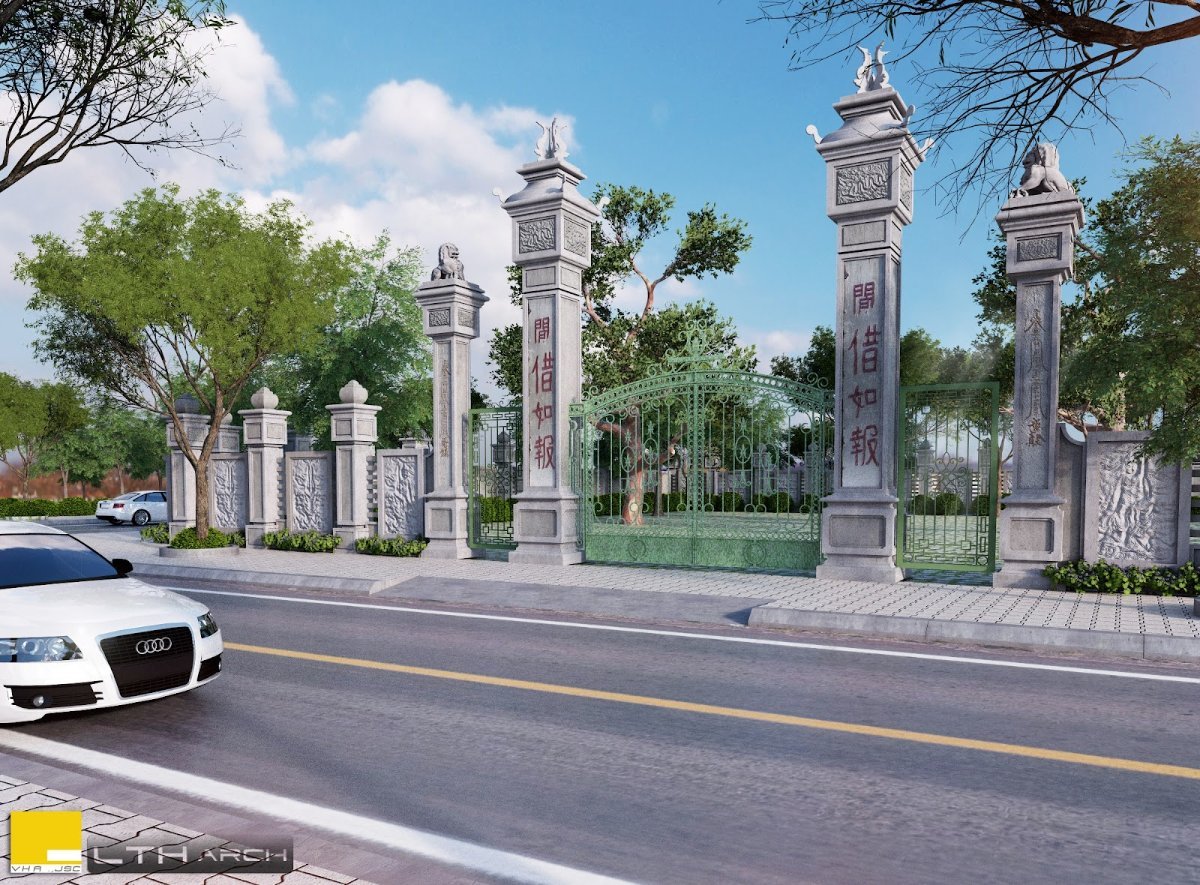
3D Gate Model for SketchUp. Discover a stunning 3D Gate Model for SketchUp at Posterfree.net, perfect for enhancing your architectural and landscape designs with realistic detail and elegance.
Elevate Your Architectural Designs with a Premium 3D Gate Model for SketchUp
In the world of architectural visualization and landscape design, attention to detail is paramount. Every element, from the grandest structure to the smallest accent, contributes to the overall aesthetic and realism of a project. That’s where high-quality 3D models become indispensable. At Posterfree.net, we understand this need for excellence, which is why we’re proud to present our exceptional 3D Gate Model for SketchUp. This meticulously crafted asset is designed to seamlessly integrate into your SketchUp projects, providing an instant upgrade to your visual presentations.
Unveiling the Detail: What Makes This 3D Gate Model Stand Out?
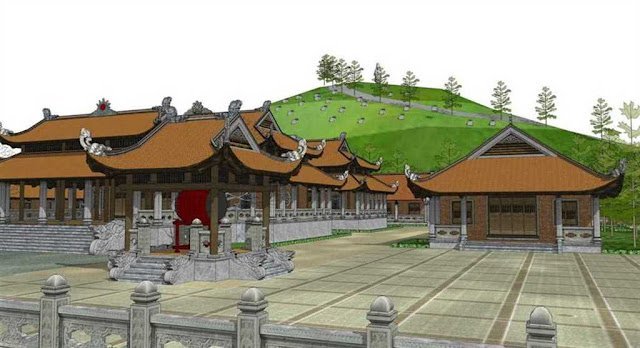
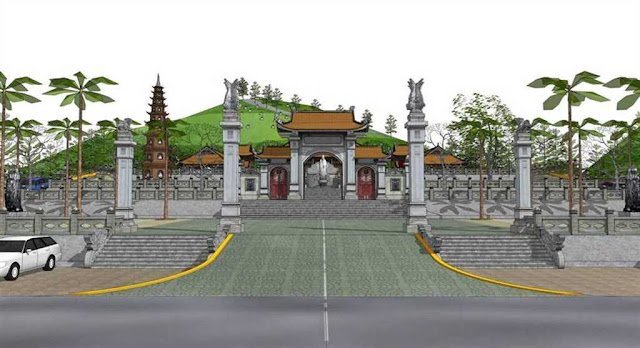
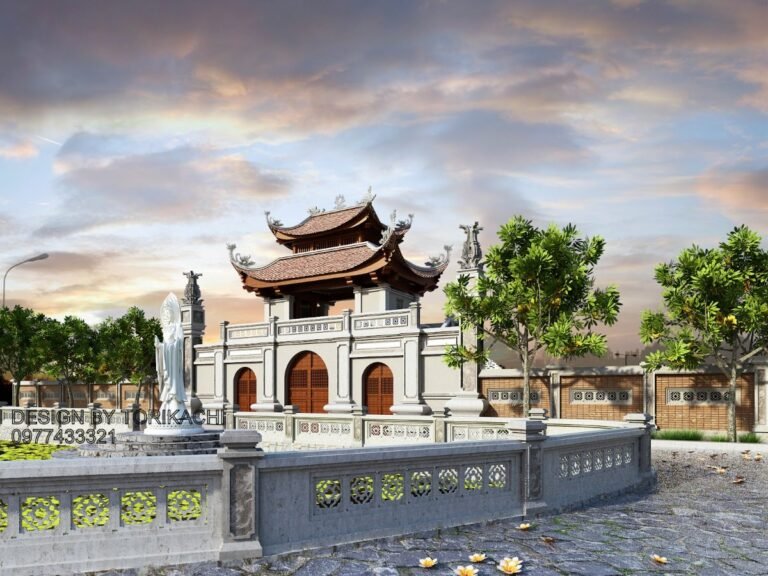
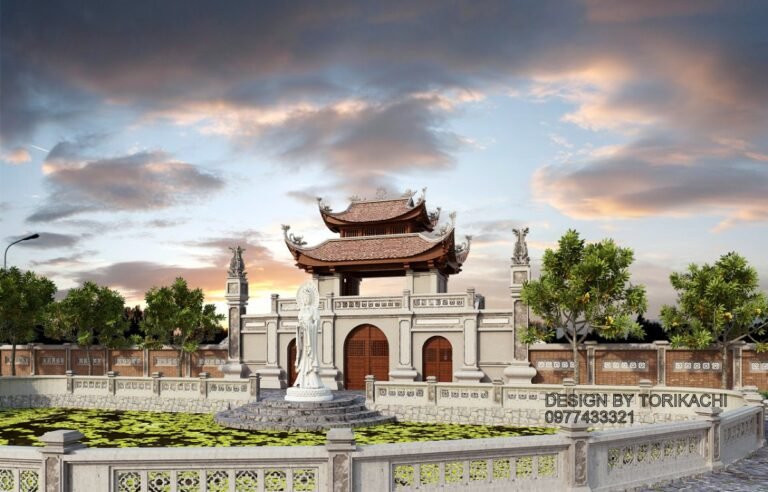
Our featured 3D Gate Model is not just any generic asset; it’s a work of digital art. The model depicts a grand, traditional-style gate, characterized by robust stone pillars adorned with intricate carvings and elegant finials. The design evokes a sense of timelessness and grandeur, making it suitable for a wide range of architectural styles, from classical to contemporary fusion. The gate itself appears to be a sturdy, perhaps wrought-iron, structure, offering both security and aesthetic appeal.
- Realistic Textures: The stone pillars feature convincing textures that mimic natural stone, complete with subtle variations and weathering effects, enhancing realism.
- Intricate Carvings: Detailed relief carvings on the pillars add a layer of sophistication and cultural richness, suggesting a historical or culturally significant context.
- Architectural Elements: The design includes traditional Chinese characters or similar script, further enriching its cultural identity and potential applications.
- Surrounding Context: The model is presented within a scene that includes a paved road, lush green trees, and a clear sky, demonstrating its versatility in various environmental settings.
- Optimized for SketchUp: Designed specifically for SketchUp, this model ensures compatibility and ease of use within your preferred 3D modeling environment.
Why Choose Posterfree.net for Your 3D Gate Model SketchUp Needs?
Posterfree.net has established itself as a premier destination for designers, architects, and enthusiasts seeking top-tier graphic resources. Our commitment to quality, variety, and user-friendliness sets us apart. When you download our 3D Gate Model for SketchUp, you’re not just getting a file; you’re gaining access to a tool that will significantly enhance your workflow and the visual impact of your projects.
Seamless Integration and Ease of Use
One of the primary advantages of our 3D models is their ease of integration. Whether you’re a seasoned architect or a student just starting with SketchUp, you’ll find our models intuitive to use. Simply import the gate model into your existing SketchUp scene, position it, and watch your design come to life. The model is optimized for performance, ensuring that it won’t unduly burden your system while maintaining high visual fidelity.
Versatile Applications for Your Projects
The applications for this 3D Gate Model SketchUp are incredibly diverse:
- Residential Projects: Envision grand entrances for luxury homes, estates, or gated communities.
- Commercial Developments: Design impressive entryways for corporate campuses, resorts, or cultural centers.
- Landscape Architecture: Integrate it into park designs, garden layouts, or public spaces to define boundaries and create focal points.
- Historical Recreations: Utilize its traditional aesthetic for projects involving historical preservation or fictional period settings.
- Educational Purposes: A valuable asset for students learning about architectural detailing and 3D modeling.
Technical Specifications and Resolution
Our 3D Gate Model is provided in a format compatible with SketchUp, ensuring that all textures, geometries, and material properties are preserved upon import. While specific polygon counts can vary, rest assured that the model is balanced to offer a high level of detail without being excessively heavy, allowing for smooth navigation and rendering within SketchUp. The textures are high-resolution, ensuring crisp and clear visuals even in close-up renders.
How to Utilize Your New 3D Gate Model SketchUp
Getting started with your new 3D gate model is straightforward:
- Download: Access the model file from Posterfree.net.
- Import into SketchUp: Open your SketchUp project and use the ‘File > Import’ function to bring the gate model into your scene.
- Position and Scale: Adjust the position, rotation, and scale of the gate to fit your specific design requirements.
- Material Adjustments (Optional): While the model comes with pre-applied materials, you can further customize them using SketchUp’s material editor to match your project’s palette.
- Render: Integrate the gate into your final renders to showcase its elegance and realism.
The Posterfree.net Advantage: Quality You Can Trust
At Posterfree.net, we pride ourselves on offering a curated selection of premium graphic resources. Our 3D Gate Model for SketchUp is a testament to our commitment to quality, detail, and functionality. We understand the demands of professional design work and strive to provide assets that not only meet but exceed expectations. By choosing Posterfree.net, you’re investing in resources that will elevate your projects and streamline your creative process. Explore our extensive library today and discover why designers worldwide trust us for their graphic needs.
Conclusion
Don’t let your architectural visualizations fall flat. Inject realism, elegance, and cultural richness into your designs with our exquisite 3D Gate Model for SketchUp. Available exclusively at Posterfree.net, this model is an essential addition to any designer’s toolkit, promising to transform your projects from good to extraordinary. Download it today and experience the Posterfree.net difference!
Related Demo Images





Frequently Asked Questions
What software is this 3D gate model compatible with?
This 3D gate model is specifically designed for SketchUp, ensuring full compatibility and optimal performance within that environment.
Can I modify the textures or materials of the gate model?
Yes, once imported into SketchUp, you can easily modify the textures and materials using SketchUp’s built-in material editor to match your specific design requirements.
Is the 3D gate model suitable for commercial projects?
Absolutely! Our 3D gate model is perfect for both personal and commercial architectural, landscape, and visualization projects, helping you create stunning presentations.
What level of detail can I expect from this 3D gate model?
The model features a high level of detail, including intricate carvings and realistic textures, balanced for optimal performance without being excessively heavy on system resources.